Planning software for haulage: run planning that moves along live
On the planning board of VYS TMS you see all runs of the day and the orders that still have to be scheduled. Drag a loading or unloading block to a run and everyone sees it immediately: fellow planners at the office and the driver in the app.
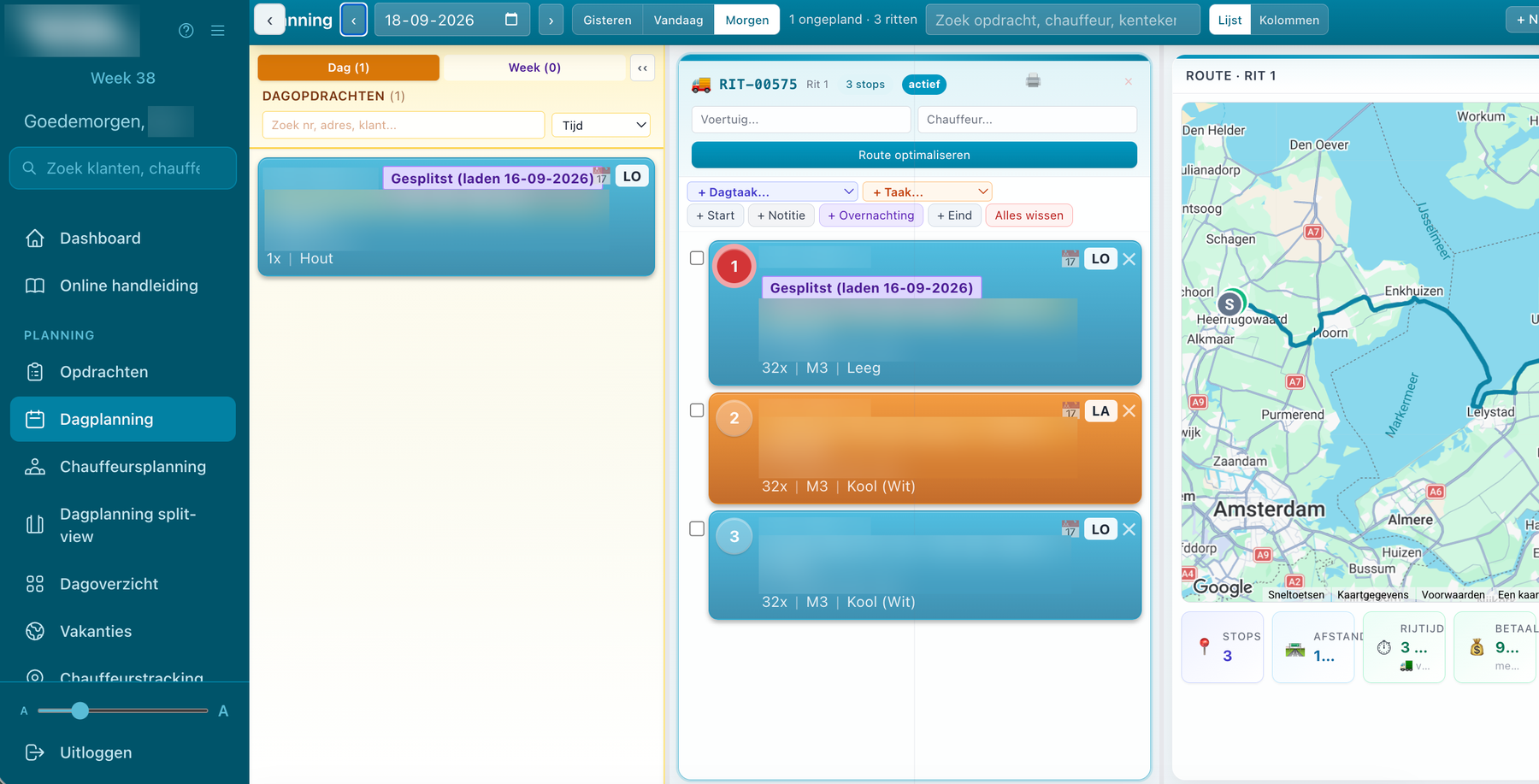
The planning board
- Pool with orders: everything that has not been scheduled yet, per day or per week.
- Dragging: from the pool into a run, within a run and between runs.
- List or columns: choose the view that suits your day.
- Working together live: several planners work in the same planning at the same time.
- Warning: when loading and unloading of an order are not scheduled together.
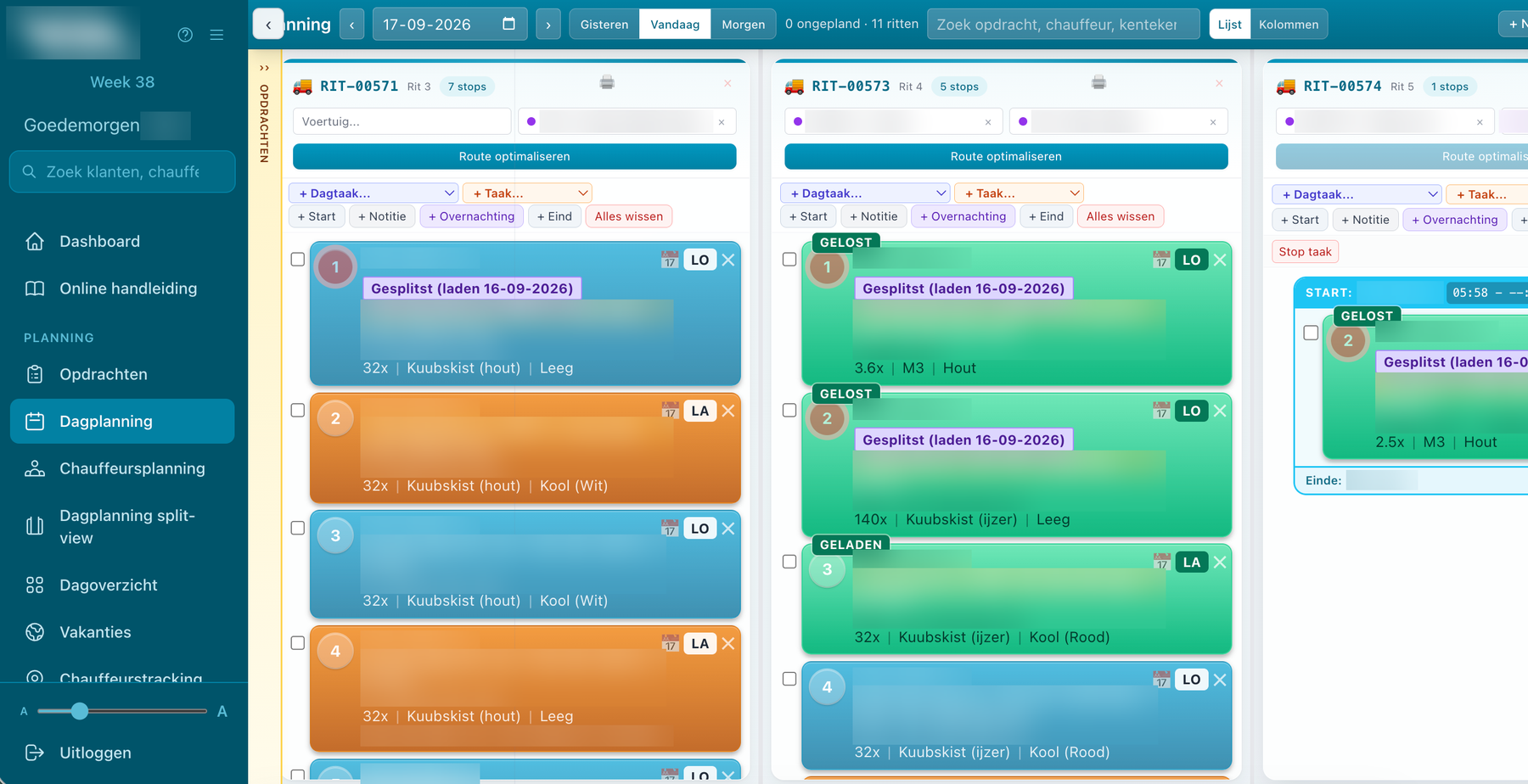
Vehicle and driver per run
- Availability: see straight away who is free, already assigned or in maintenance.
- Holidays and absence: with an availability bar.
- Subcontractors: you put them on a run just like your own drivers. More about subcontractors
Route optimisation
With one button VYS TMS puts the stops of a run in a logical order, from the home base and with loading always before unloading. The map shows the route with kilometres and driving time, calculated according to a truck profile.
More than loading and unloading
- Day tasks and planning tasks: as a block of their own in the run.
- Overnight stays and notes: visible to the driver.
- Start and end: at the home base.
Overview and control
- Day overview: per truck or per driver.
- Driver planning: who drives when.
- Planning watchdog: that emails you when orders are still open.
- Run order: printed or saved as a PDF.
Planning on the road as well
The same planning is in the VYS TMS app. If you are on the truck yourself, you adjust it wherever you are. VYS TMS is the only TMS where that is possible. More about planning from the app.
Questions about planning software
Can several planners plan at the same time?
Yes. Changes are visible immediately to all planners and to the drivers in the app.
Does the route take a truck into account?
The kilometres and driving time on the map are calculated according to a truck profile, and when optimising, loading always comes before unloading.
Can I schedule orders on a week number?
Yes. A week order only has a week number, and the planner picks the day later. That way you use it as a filler run wherever there is room that week.
Does the driver see a change immediately?
Yes, the app updates live as soon as the planner changes something.
More about VYS TMS
Planning from the app
Plan on the road as well: order pool, runs, choosing vehicle and driver and dragging stops in the app. VYS TMS is the only TMS that makes that possible.
Planning subcontractors
In VYS TMS subcontractors run along just as easily as your own drivers: assigning runs, reporting loading and unloading and having consignment notes signed in the same app.
Order management
Entering transport orders the way it really goes: a loading and unloading block with their own date, week orders, load lines, follow-up orders and an address book.
See how it works with your own runs?
VYS TMS is built from practice, by developers who come from the haulage world themselves. We are happy to show it, from order to invoice, and to think along about custom work for the way you work.