Order management for haulage: orders as they really are
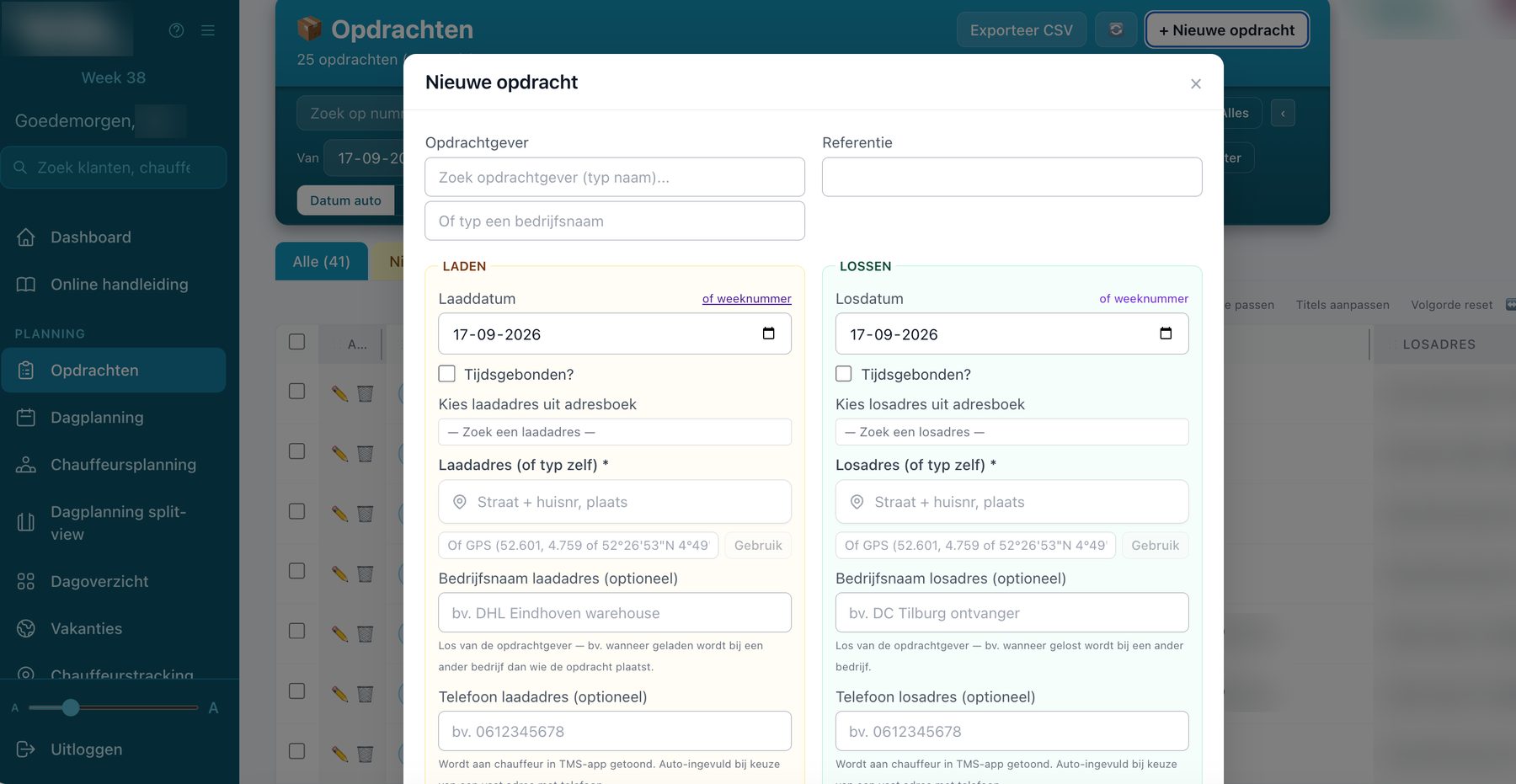
In VYS TMS an order consists of a loading block and an unloading block, each with its own date and time. Loading and unloading on different days, or only a week number where the planner picks the day later, for example as a filler run: it is all possible.
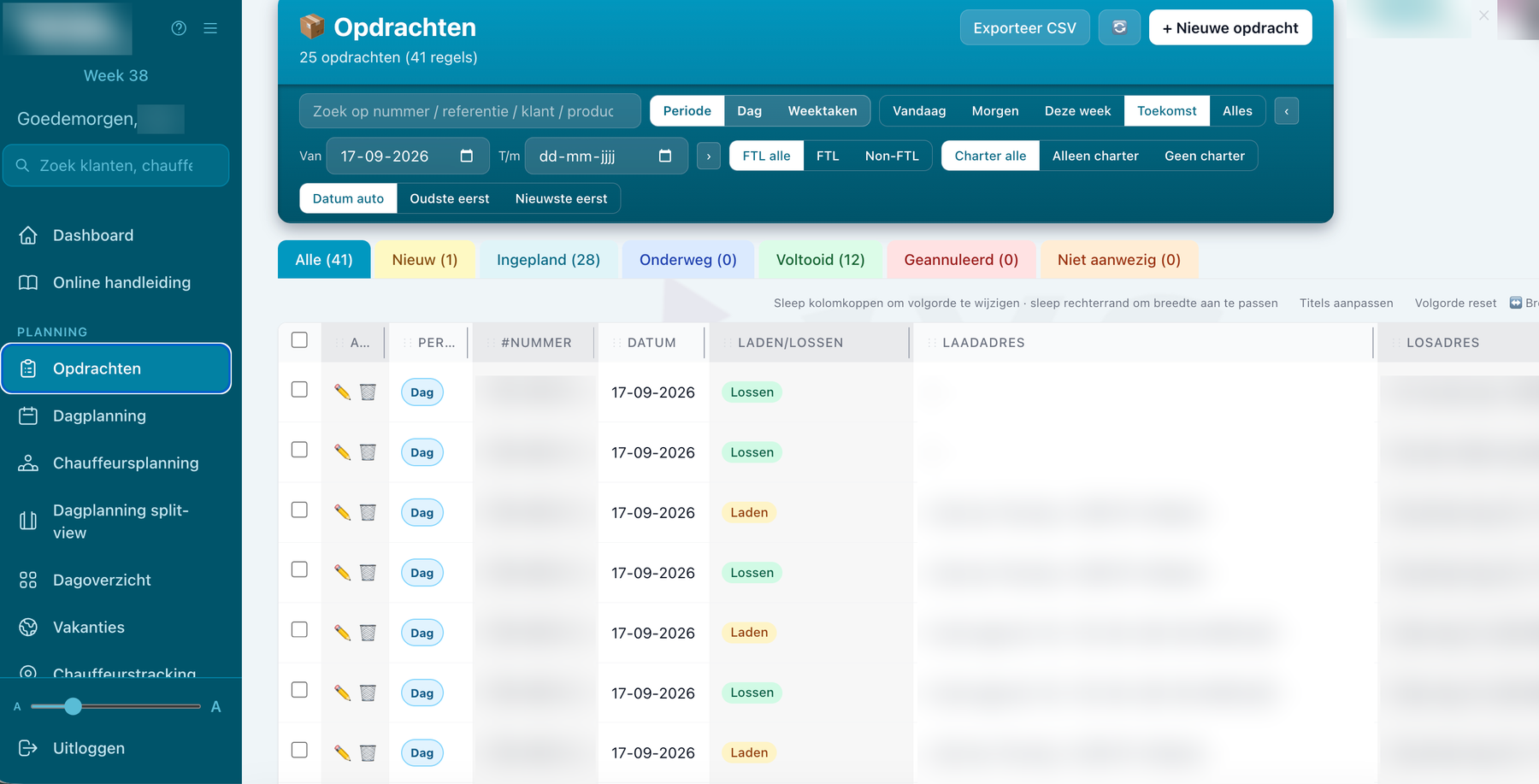
Loading and unloading as separate blocks
Because loading and unloading are each a block of their own, you also schedule them separately. An order loaded today and unloaded tomorrow simply appears on two days in the planning. VYS TMS warns you when loading and unloading are not scheduled together.
Load per line
- Several load lines: with transport unit, product, quantity and weight.
- Full load: with a tick box for FTL.
- Actual quantity: filled in by the driver in the app, with a record of who changed it.
Address book with instructions
- Loading and unloading addresses: from the address book or entered freely.
- Per address: company name, contact person, phone number and instructions for the driver.
Week orders and follow-up orders
- Week orders: with only a week number, to be used as a filler run wherever there is room that week.
- Follow-up orders: the unloading address becomes the next loading address, and together they end up on one invoice.
- Copying: to a new order or in one go on a second date.
- References and notes: a customer reference and cost centre as well.
Three ways an order comes in
The origin of every order stays visible.
- The planner: enters it at the office.
- The app: a planner or super driver creates it on the road.
- The freight portal: the customer submits it himself, if you offer that. More about the freight portal
Overview and certainty
- Statuses: new, scheduled, on the road, completed or cancelled.
- Filters: on period, full load and subcontracted work, with search and your own column layout.
- Export: to CSV.
- Protected: an order that has been loaded, unloaded or invoiced can no longer be deleted by accident.
Questions about order management
Can an order be loaded and unloaded on different days?
Yes. Loading and unloading each have their own date and time.
What is a week order?
An order with only a week number. The planner picks later on which day it is carried out, for example as a filler run on a day where there is still room.
Can I export orders?
Yes, you export the order overview to CSV.
Can customers enter orders themselves?
Yes, through the freight portal. That is optional: you decide per customer whether he gets access.
More about VYS TMS
Planning software
Run planning on a live planning board: dragging orders into runs, choosing vehicle and driver, optimising the route and planning in the app as well.
Customer portal
With the optional freight portal customers submit their own orders, follow the status and download consignment notes and invoices. With your logo.
Invoicing
Invoice on what was actually driven: rates per kilometre and hour with a diesel surcharge, daily invoicing, collective invoices and a link with Björn Lundén.
See how it works with your own runs?
VYS TMS is built from practice, by developers who come from the haulage world themselves. We are happy to show it, from order to invoice, and to think along about custom work for the way you work.