A customer portal in which customers submit their own orders
With the freight portal of VYS TMS, customers create their own orders and submit them straight to you. After that they follow the status and pick up consignment notes and invoices. The portal is an option, not an obligation.
Optional, per customer
You decide per customer whether he gets access. Without a portal you simply enter orders yourself at the office or in the app. If you do offer the portal, it saves retyping phone calls and emails.
Creating orders themselves
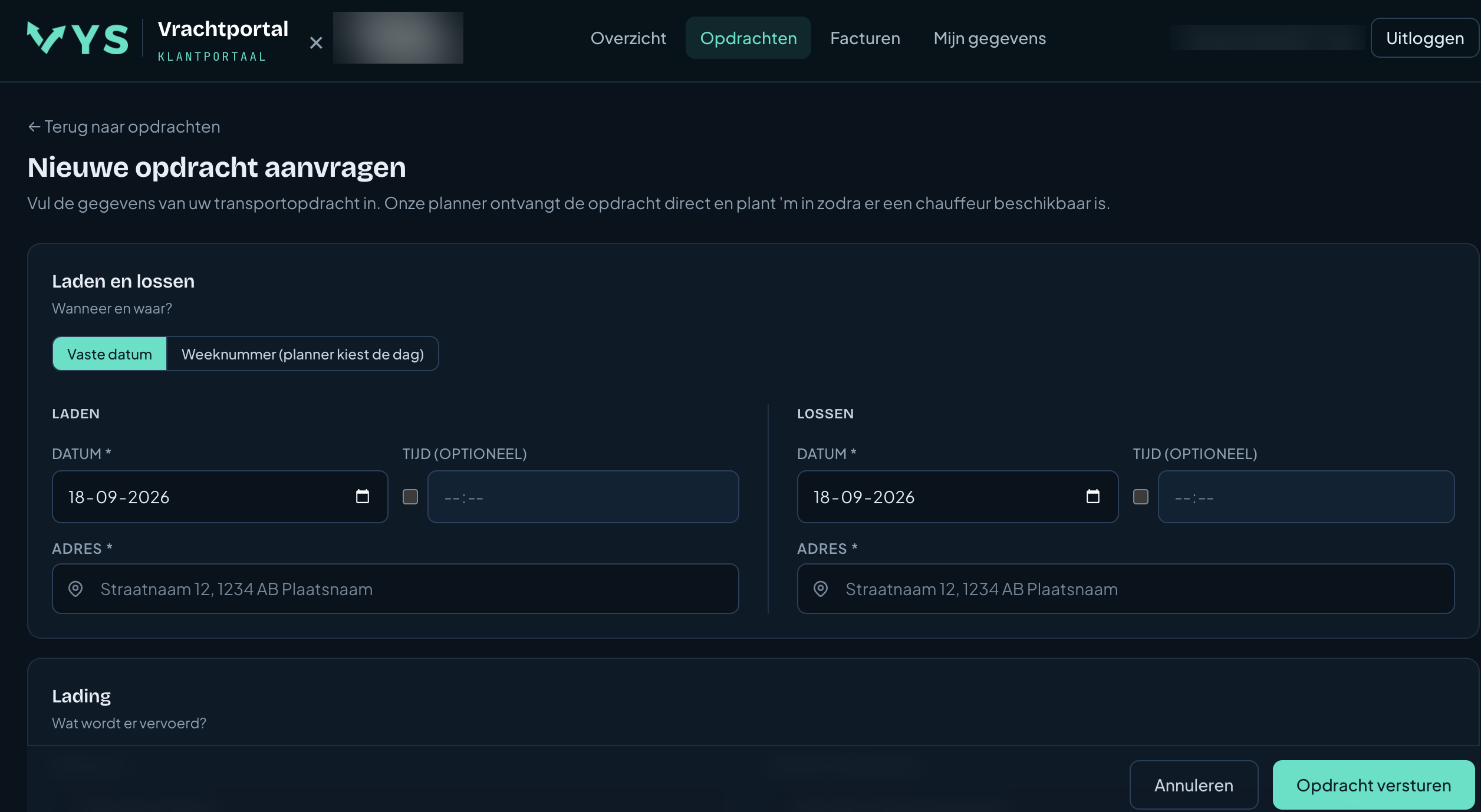
- Date: a fixed date and time, or only a week number.
- Addresses: loading and unloading address with suggestions.
- Load: product, unit, quantity, weight and full load.
- Reference: own reference or PO number.
Straight into your planning
A submitted order comes into VYS TMS immediately, recognisable with the freight portal as its origin and ready to be scheduled.
Status in plain language
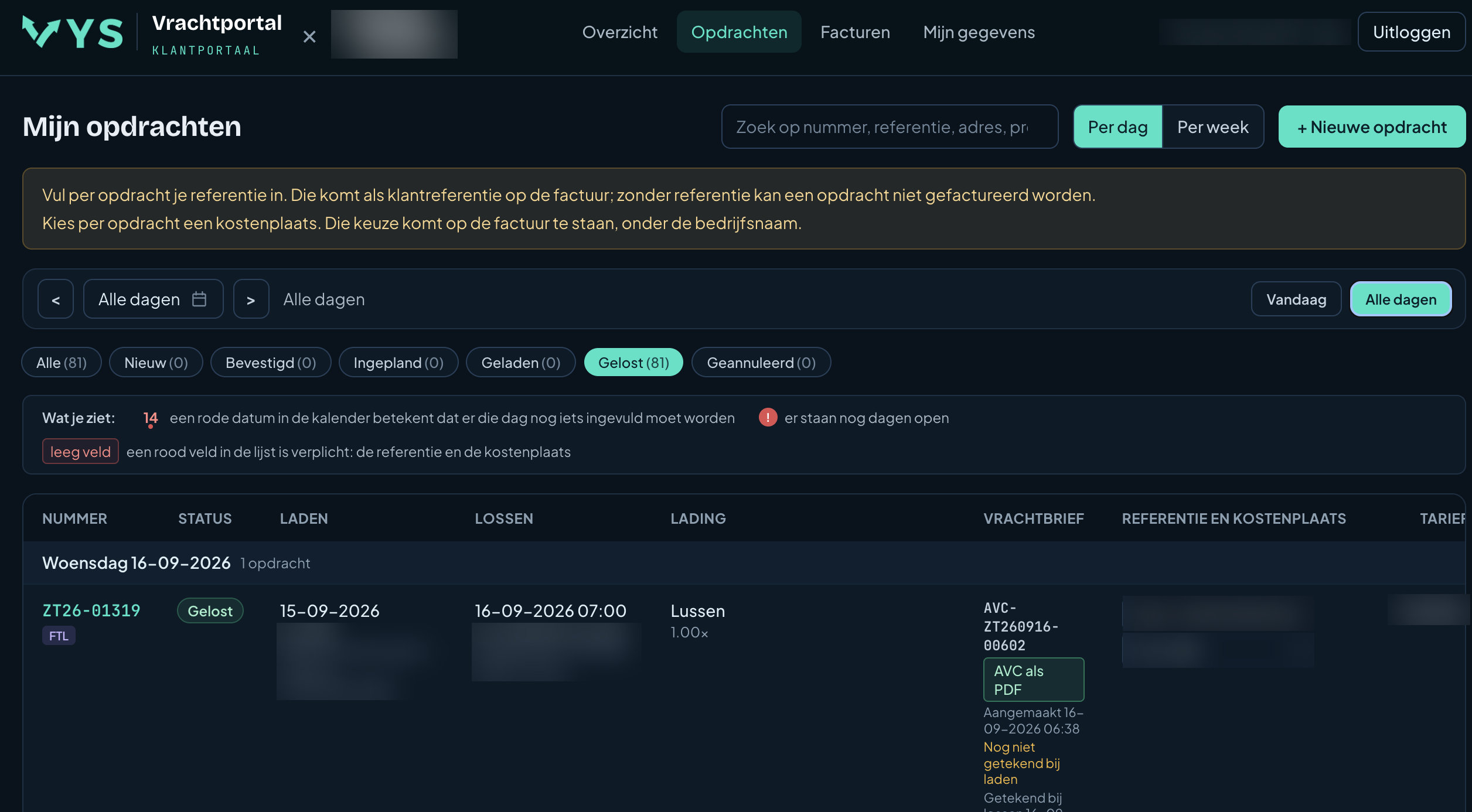
Per order the customer sees whether it is new, confirmed, scheduled, loaded or unloaded, and who signed when.
Downloading consignment notes and invoices
- Consignment notes: digital and scanned, through secure links that expire.
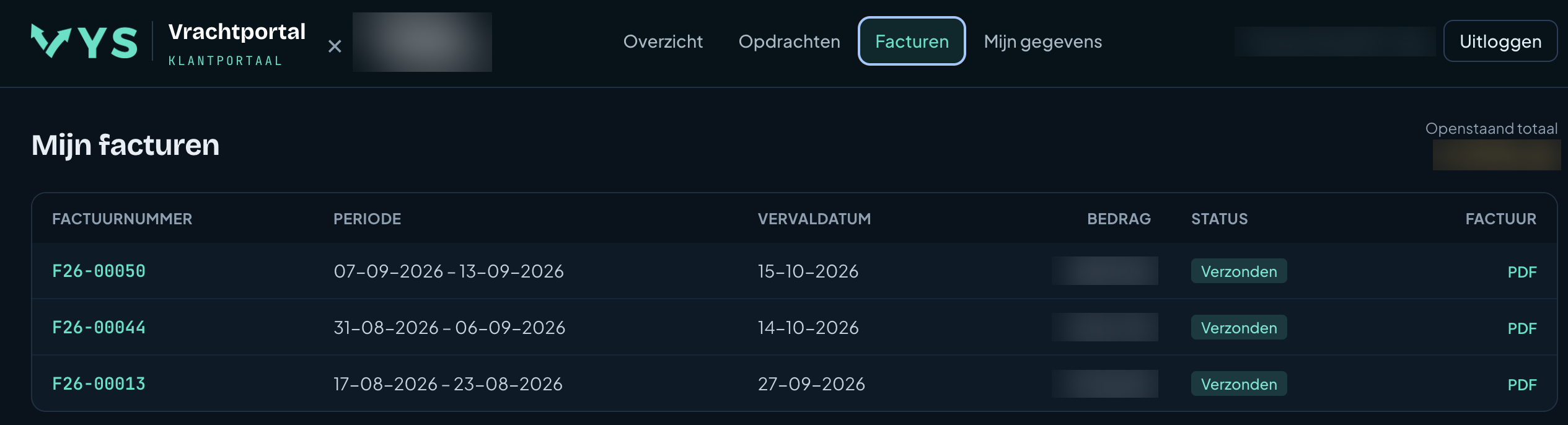
- Invoices: with status and outstanding amount, as a PDF.
References, PO numbers and cost centres
Customers fill in their own reference or PO number and for example a cost centre per order. Those carry over to the invoice. The calendar colours days on which something is still missing.
With your logo, without a password
The freight portal shows your logo and name and works on the phone as well. Customers log in with a one-time code by email, without a password.
Questions about the freight portal
Does my customer have to install anything?
No. The freight portal works in any browser, on the phone as well.
Can I decide per customer who gets access?
Yes, you switch access on or off per customer.
What does a customer see?
His own orders with the status, and the consignment notes and invoices that belong to him.
Can I work without the freight portal as well?
Yes. The portal is optional; you can always enter orders at the office or in the app.
More about VYS TMS
Order management
Entering transport orders the way it really goes: a loading and unloading block with their own date, week orders, load lines, follow-up orders and an address book.
Track and trace
See live where your drivers are, follow the status per order and let customers look along in the freight portal. GPS only during working time.
Digital consignment note
Digital consignment note (AVC and CMR): signing on the phone, scanning paper consignment notes to PDF and emailing them to the customer automatically.
See how it works with your own runs?
VYS TMS is built from practice, by developers who come from the haulage world themselves. We are happy to show it, from order to invoice, and to think along about custom work for the way you work.