Time recording for drivers, without notes and chasing
The driver keeps his day sheet in the VYS TMS app. The office sees the working and rest times per driver per day, corrects where needed and exports the hours with the right surcharge types.
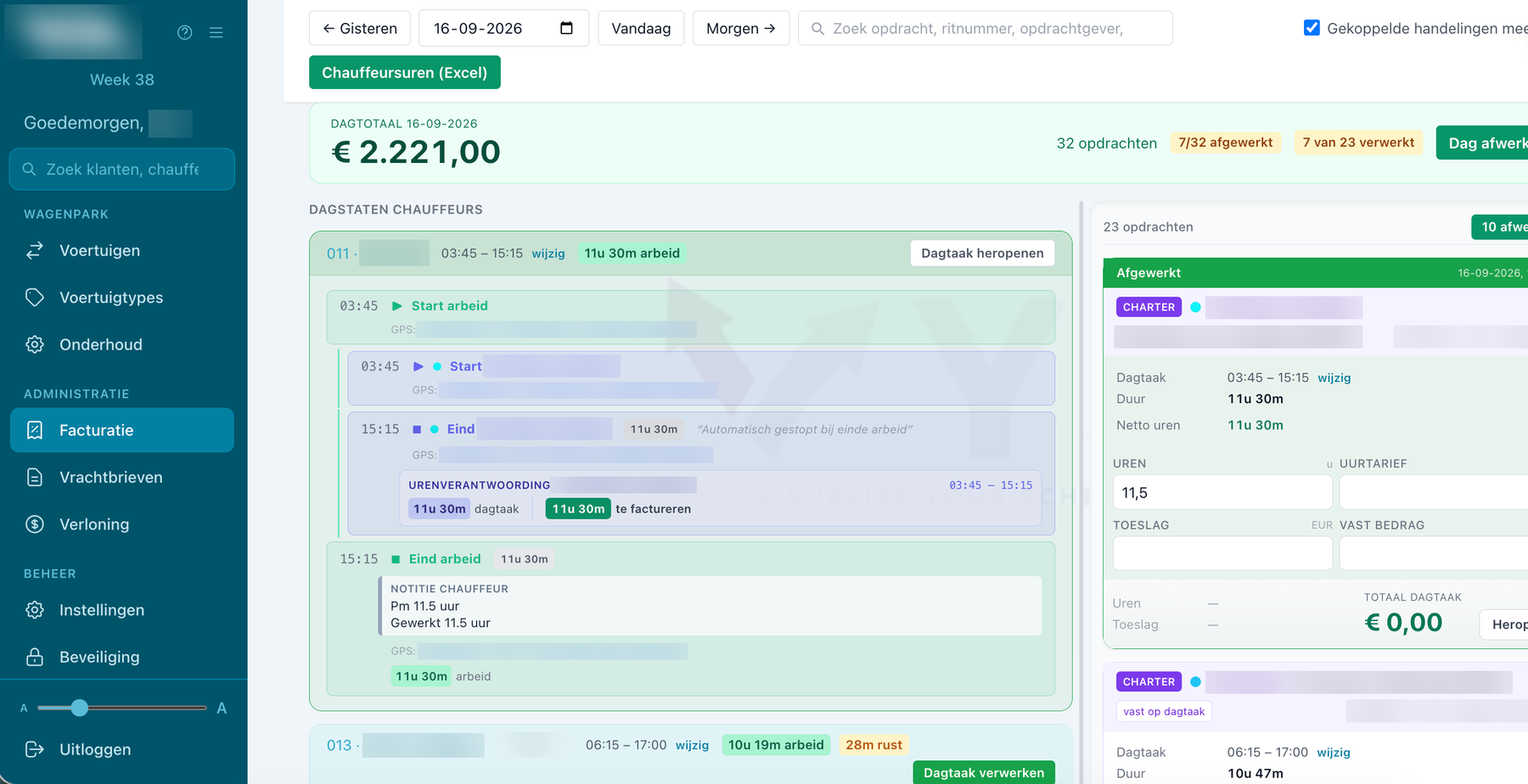
The day sheet in the app
- Start and end of work: with GPS, vehicle choice and a remark.
- Reminder: if the working day has not been closed.
- Activities: rest, waiting, maintenance, refuelling and other.
- Day tasks: scheduled by the planner or started by the driver himself.
- Overnight stay: recorded with the location, and registered afterwards on an earlier date.
- Quick buttons: for a work report on the phone.
Automatic where possible
When the driver starts driving, the running rest or waiting time stops by itself. That way the day sheet is right, even if he forgets to switch.
At the office: checking and correcting
- Per driver per day: hours and rest times with totals.
- Correction: where needed, with the route driven on the map alongside.
- Day task overview: with gross, break, net and invoiced hours.
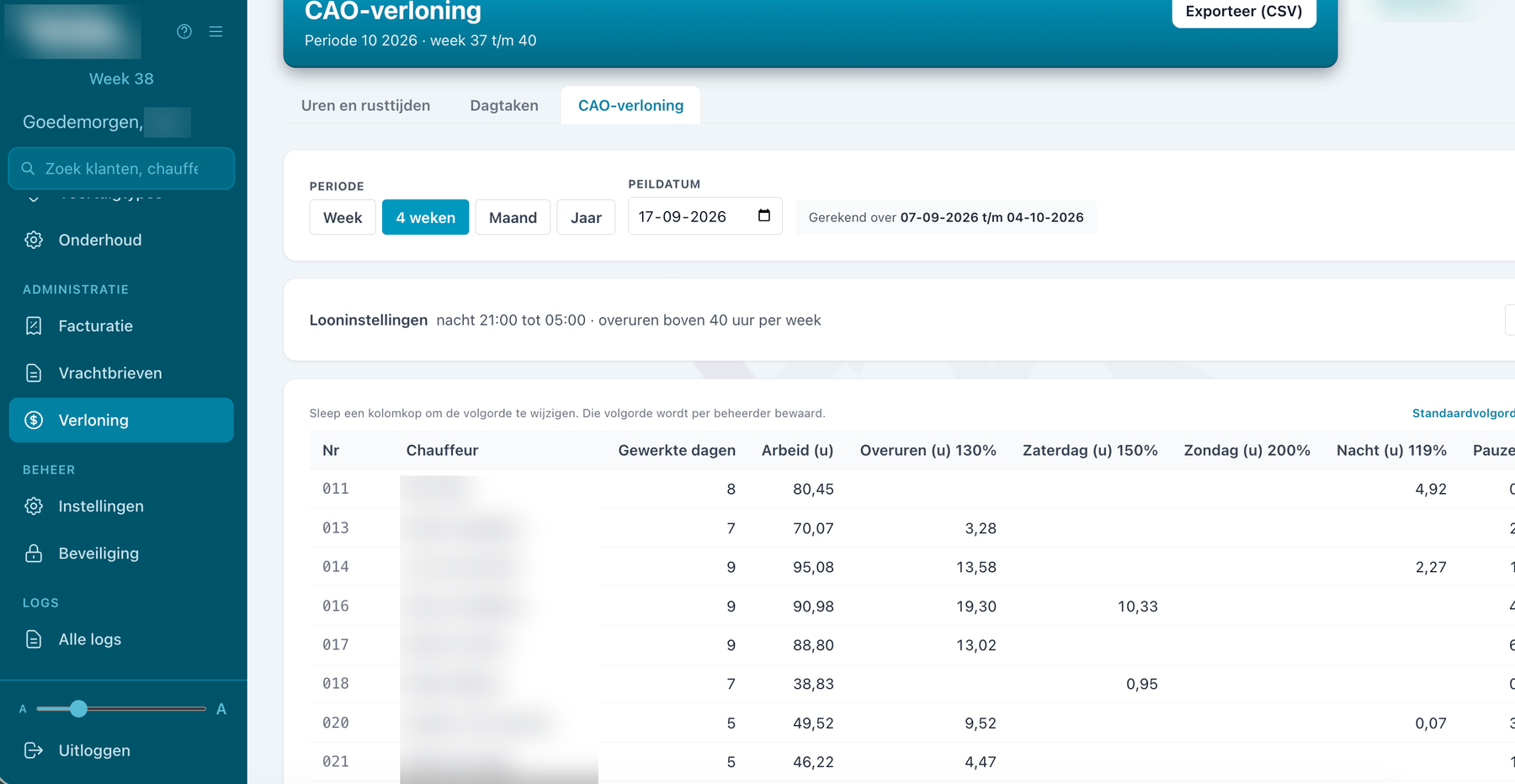
On to pay and invoice
The checked hours go to the payroll hours, split by surcharge type. More about pay under the collective agreement. Hours of day tasks and subcontracted work go to the invoicing. More about invoicing.
With the tachograph as well
If you connect the tachograph to the app, you also see the driving and rest times live and arrange the downloads. More about the tachograph connection.
Questions about time recording
Does the driver have to fill in everything himself?
No. Scheduled day tasks are ready and waiting, and rest or waiting time stops by itself as soon as he starts driving.
Can the office correct hours?
Yes, per driver per day, before the hours go to the payroll hours.
Can I export the hours?
Yes, you export the payroll hours to Excel.
Is the driver followed all day?
No, the location is only used during working time.
More about VYS TMS
Driver pay
Your drivers' hours split into overtime, Saturday, Sunday, night and break shortfall, with an adjustable night window and overtime limit. Export to Excel.
Driver app
The VYS TMS driver app shows runs and stops, registers arrival automatically, has consignment notes signed and lets drivers make changes themselves.
Day sheet app for owner-drivers
As an owner-driver, keep your hours with one tap per activity and email a PDF day report to your customer at the end of the day.
See how it works with your own runs?
VYS TMS is built from practice, by developers who come from the haulage world themselves. We are happy to show it, from order to invoice, and to think along about custom work for the way you work.